INVENTORY APPROVAL DEMO
Review before stock moves.
For teams sharing inventory: request a stock movement, check it, then approve the inventory update.
Fictional data. Your browser has its own sandbox.
Reviewer actions are simulated; no organization authentication.
- 1 Create a request
- 2 Review the change
- 3 Approve & inspect history
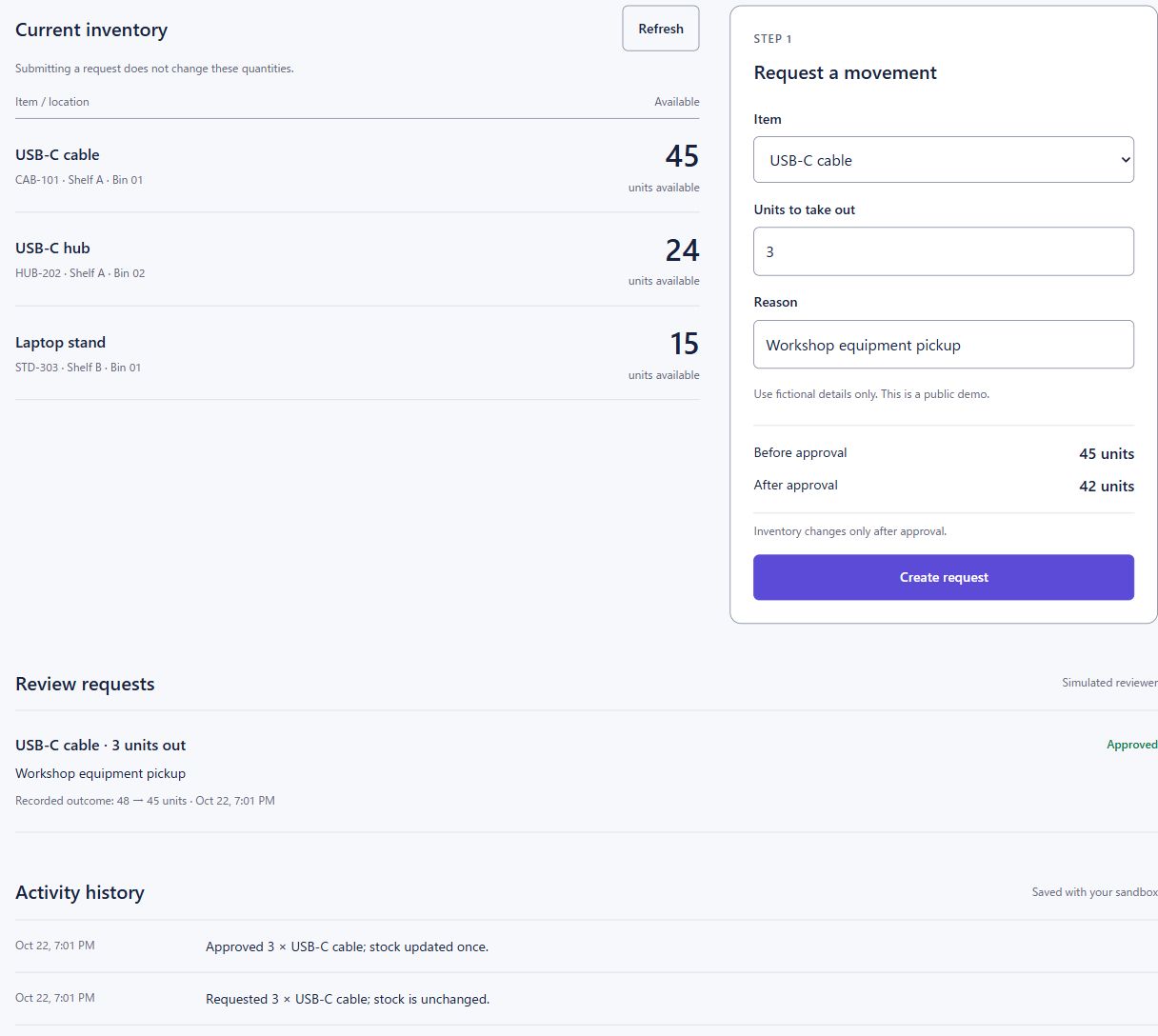
Current inventory
Submitting a request does not change these quantities.
Loading inventory…
STEP 1
Request a movement
Review requests
Simulated reviewerYour requests will appear here.
Activity history
Saved with your sandbox- No movements yet. Create a request to begin.
Try the failure cases
After creating a request, use Simulate another update on its row, then approve it. The request should stop because the stock changed. To check duplicate protection, replay your last request below.
A fresh sandbox creates a separate dataset without immediately removing the previous one. New sandboxes expire after 24 hours and are then cleared automatically. Only the latest request from this page session can be replayed here.
A WORKFLOW FOR YOUR TEAM
Example: equipment for a workshop
A staff member requests USB-C cables. A reviewer checks the quantity and reason. Approval updates stock and records the movement. You can play both roles here using fictional inventory.
Need an approval workflow for your business?
Tell me what your team tracks, who reviews changes and which tools you use. I can help scope a pilot and build a workflow around that process.
Discuss your workflow with ACLab ↗How this demo works & its limits
Cloudflare Workers handles the workflow; D1 stores inventory, requests and activity. An anonymous cookie identifies this browser’s sandbox. It is a demonstration environment, not an access-control system for a company.
Approvals check the item version before changing stock. Repeating the same request key returns its original result. The failure-case control deliberately simulates a separate inventory update.
Sandbox usage is limited. Do not enter personal, customer or company information.